VS Code로 원격 접속을 구성하려고 하는데 다음과 같은 에러가 나온다면
오류 사항 #
대충 에러만 추렸다
 Using connect timeout of 17 seconds
 Terminal shell path: C:\Windows\System32\cmd.exe
 >  ]0;C:\Windows\System32\cmd.exe
 Got some output, clearing connection timeout
 > Bad permissions. Try removing permissions for user: UNKNOWN\\UNKNOWN (S-1-5-21-6
> 96800869-1547580573-1467622820-1002) on file C:/Users/hnw/.ssh/config.
> Bad owner or permissions on C:\\Users\\hnw/.ssh/config
 > 프로세스에서 없는 파이프에 쓰려고 했습니다.
 "install" terminal command done
 Install terminal quit with output: 프로세스에서 없는 파이프에 쓰려고 했습니다.
 Received install output: 프로세스에서 없는 파이프에 쓰려고 했습니다.
 Failed to parse remote port from server output
 Exec server for ssh-remote+192.168.50.42 failed: Error
 Error opening exec server for ssh-remote+192.168.50.42: Error
대충 config 파일의 내용을 다른 사용자가 쓸 수 있기 때문에 config파일을 거부하는 것으로 보인다. 비슷한 사례로 ssh 개인키도 다른 사용자가 열 수 있다면 openssh가 연결을 거부한다.
솔직히 윈도우 권한 잘 모르기 때문에 할 말은 별로 없고
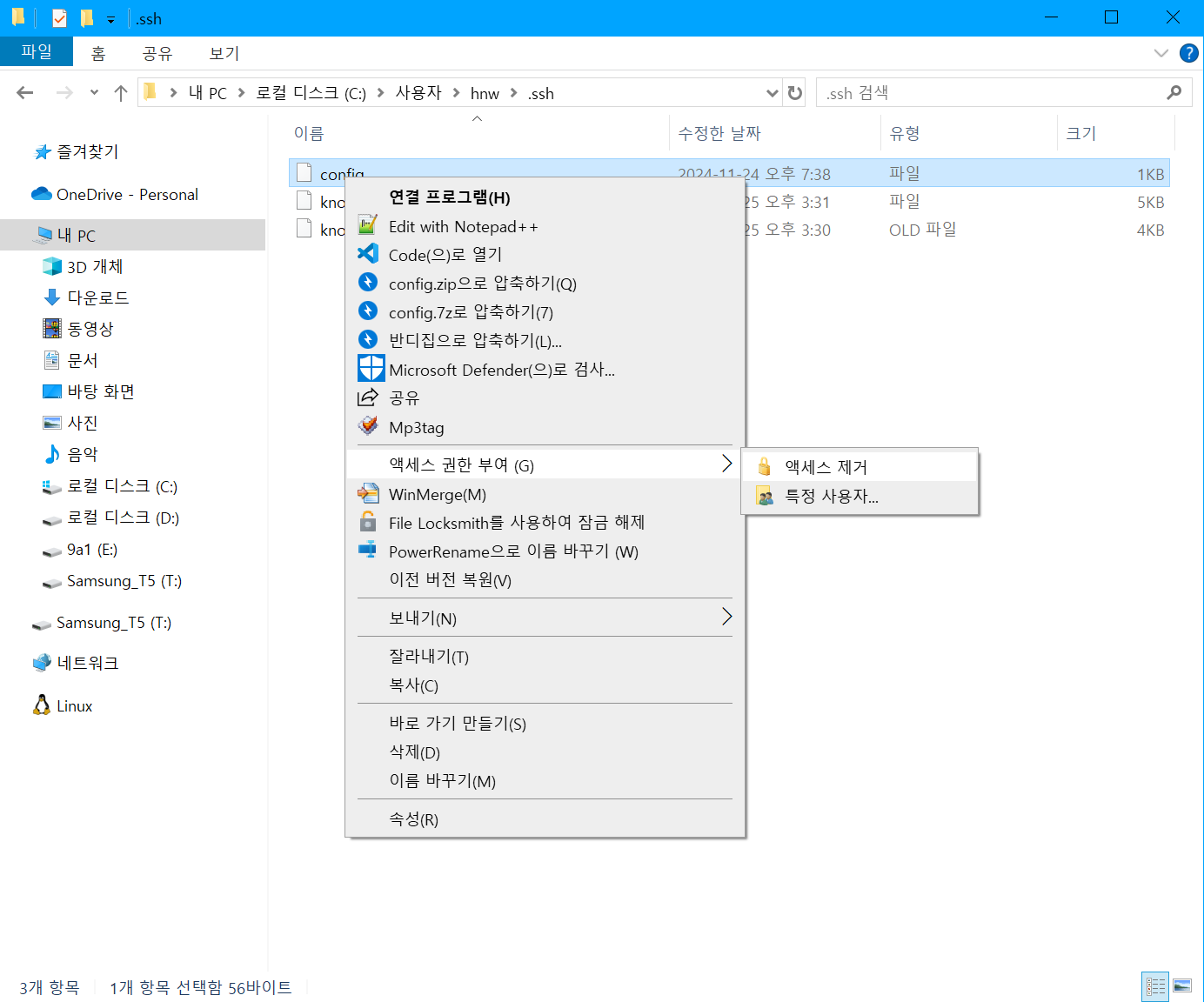
다음 방법으로 권한을 제거했다.
자세한 내용이 궁금하다면 #
https://stackoverflow.com/questions/49926386/openssh-windows-bad-owner-or-permissions
Reply by Email